Business Automation Platform
Automate the work your business runs on.
Turn repetitive manual tasks into automations, agents and apps. Start with a ready-made solution, or simply describe what you need in Microsoft 365 Copilot, Claude Code, or Codex.
Automate real work across your business systems.
Your workflows run on a robot that signs in, clicks, reads and types across your ERP, bank, CRM, tax portal and help desk, even where there's no API. Ask for any of these and it does the work the way a careful person would, only faster.
Watch the robot work
Bank reconciliation
Checks each one against the statement
Runs locally. Your data never leaves your machines.
Bank Reconciliation
Reconcile the payments finance could not tie out: read the ERP's exceptions, then check each one against the real bank statement and label every discrepancy - missing payment, transposed amount, double payment or unapplied cash.
Bulk Shipment Tracking Sweep
Check ~200 shipment tracking numbers at once with 8 parallel workers pulling from a shared queue. Write a full status file plus an exceptions-only file for the customs holds, delays and failed deliveries.
Clinic Eligibility Morning Run
Run insurance-eligibility checks for a clinic's whole appointment worklist on 9 parallel browsers. Read back each coverage answer and flag the lapsed and not-covered patients the front desk has to chase.
Need something of your own? Just ask.
Create automations, apps, agents and forms by describing them, in the tools your team already works in.
Microsoft 365 Copilot
For everyone on your team
Add Robomotion as an agent in Copilot Chat, Teams and Outlook. People ask in their own words and follow the build on a live card.
Claude Code
For your developers
Install the Robomotion skills and Claude Code builds, tests and saves automations, agents and apps in your workspace.
Codex
For your developers
The same skills work in Codex. Whatever it builds shows up in Robomotion, ready to open, change and run.
Asked in Microsoft 365 Copilot
“Build me an automation that gets the top 5 headlines from Hacker News and saves them to a spreadsheet in my Documents folder.”
Copilot asks before it runs or publishes anything. Everything it builds is saved in your Robomotion workspace.
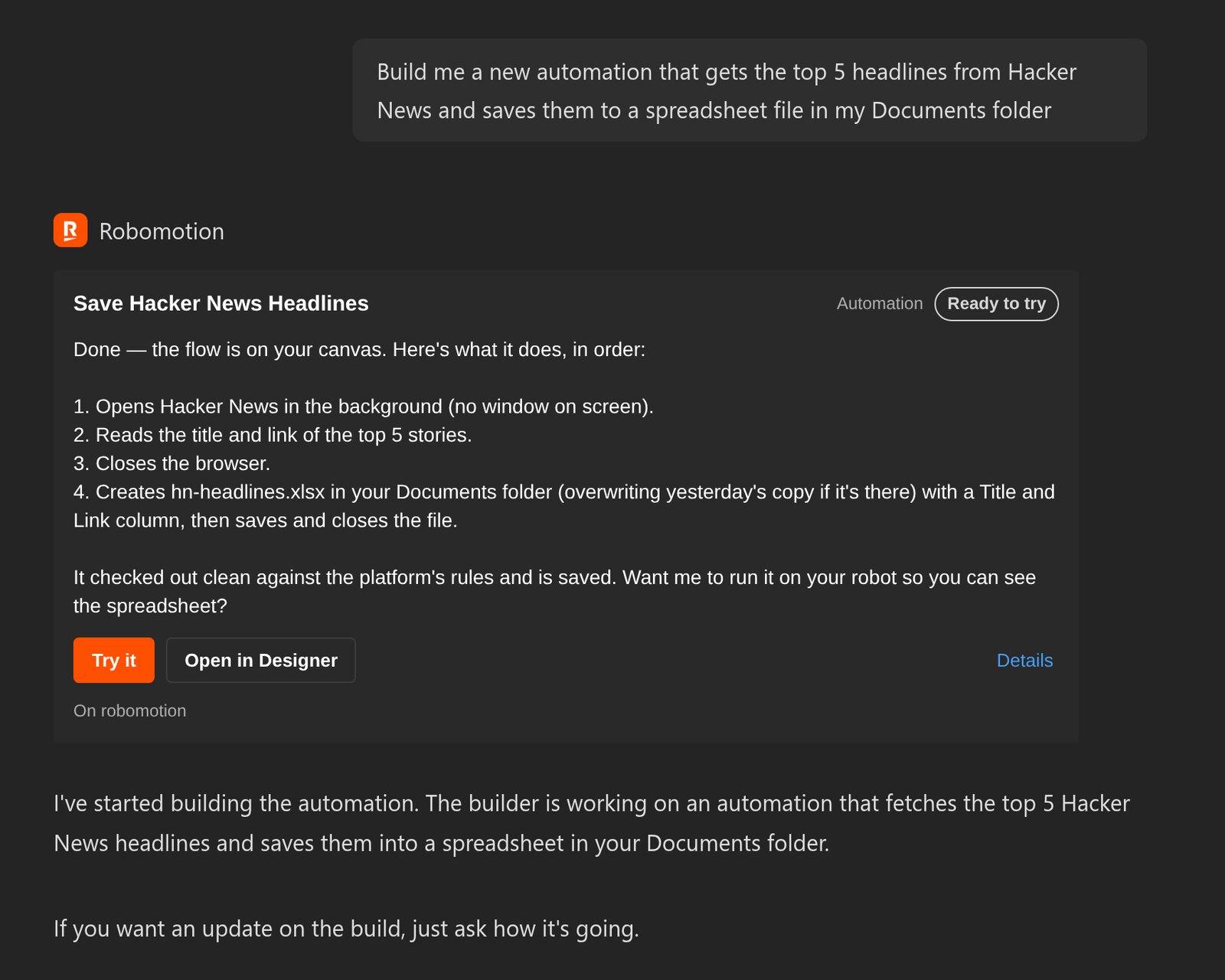
Robomotion behind every request.
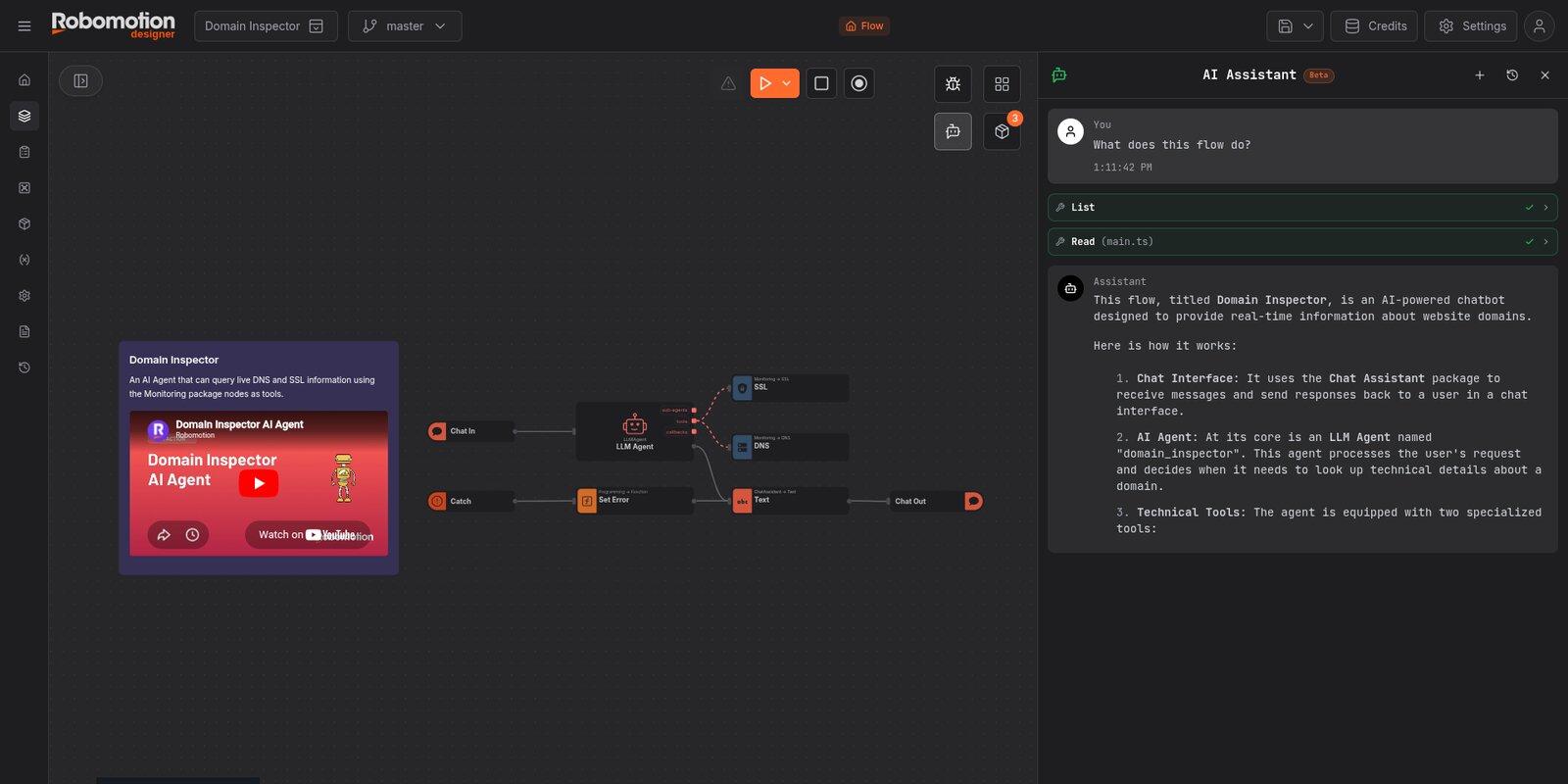
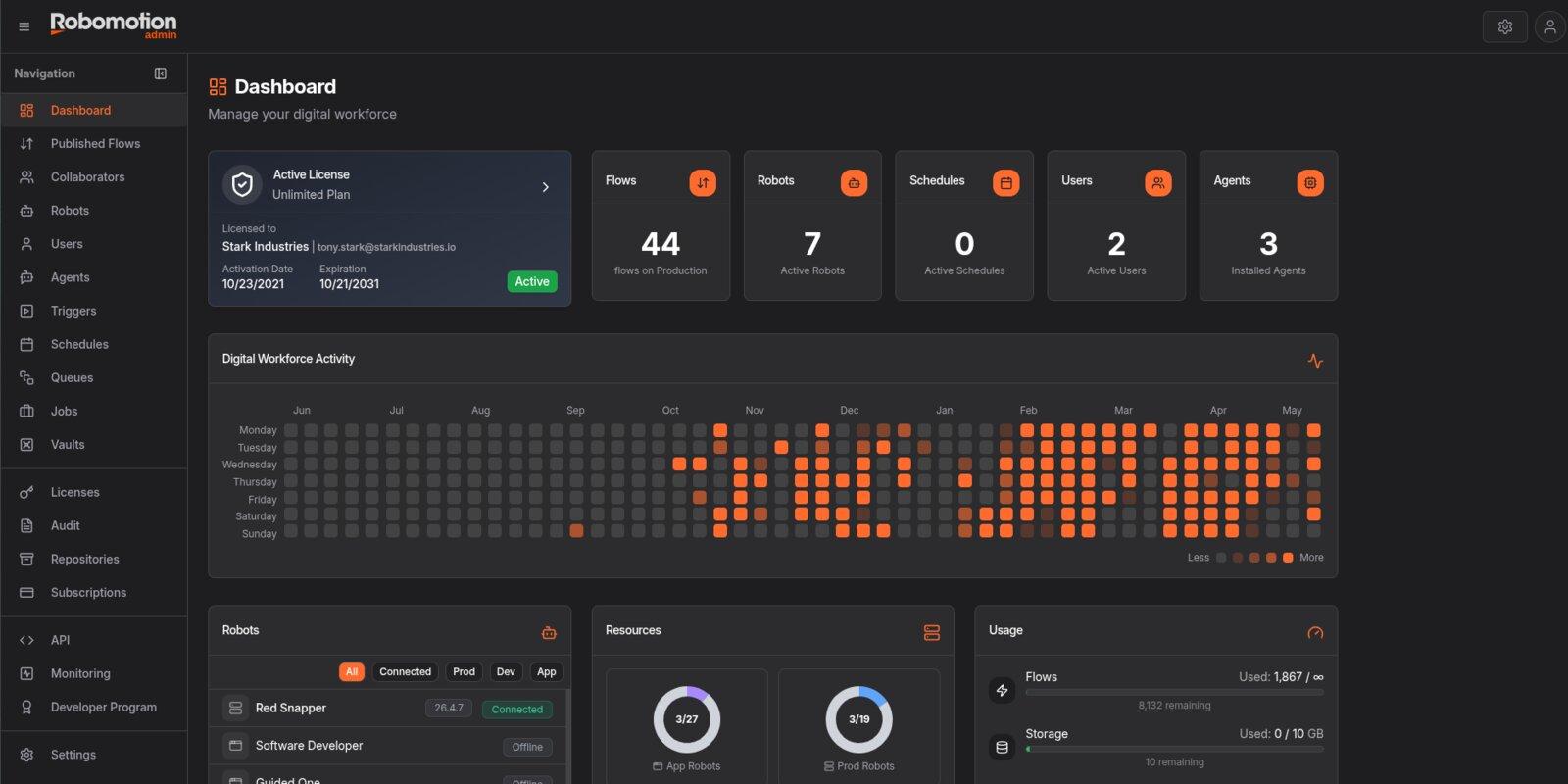
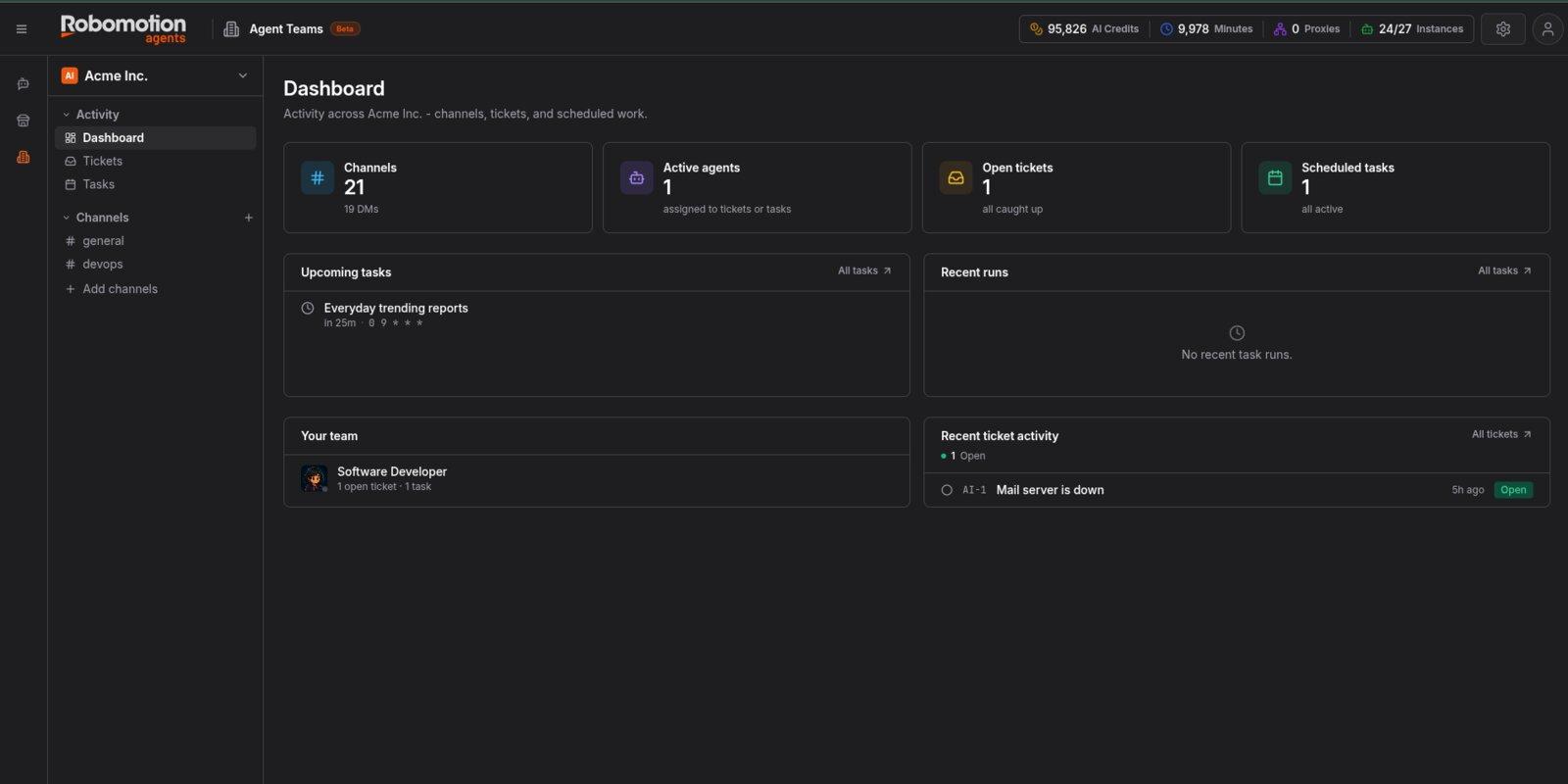
Whatever you ask for is saved in your workspace. Open it to see each step, change it by hand or with the AI Assistant, schedule it, and follow every run.
Build and change automations on a visual canvas, with the AI Assistant beside you.
Get started in three steps
- 1
Create your workspace
Sign up free. You can build right away: describe what you need to the AI Assistant in the Designer.
Create a workspace - 2
Connect the tool your team uses
Microsoft 365 Copilot. An admin adds it once from Admin Console, Integrations. Robomotion then shows up under Agents in Copilot.
Claude Code or Codex. Install Robomotion, then run
robomotion skills installin your project folder (add-a codexfor Codex). - 3
Ask for what you need
Describe the app, agent or automation. When it is ready, it is in your workspace: run it on your robots, put it on a schedule, and share it with your team.
What our users say about us.
Reviews from the people who run their work on Robomotion.
From fast-growing startups to regulated enterprises
 Startup 100
#29 · 2025
Compliant
Switch from UiPath, Automation Anywhere or Blue Prism. We migrate your automations for free.
Or Power Automate, or any other RPA tool. Send us your project source code, and our team moves your existing automations to Robomotion, at no cost.
Book a free migration call- 1
Share your current project
We work from your project source code, which shows exactly what each automation does. A PDD and recordings of the process help too, if you have them.
- 2
We move them over
Our team rebuilds them on Robomotion and tests them against your real processes.
- 3
Switch when you are ready
Go live once everything works the way it did, or better.
Learn Robomotion at the Academy.
Free courses with video lessons, hands-on challenges graded on real training apps, and certificates anyone can verify.
A certificate people can check
Pass graded challenges on real business processes and a timed exam to become a Robomotion Certified RPA Developer Associate or Document Understanding Specialist. Every credential has its own public page that shows it is valid and what it took.
Learn
Short video lessons, articles and quizzes, in six languages.
Build
Automate real processes in training apps: a bank, a tax portal, a CRM.
Prove
Upload what your flow produced. The grader checks it in seconds.
Share
Add your credential to LinkedIn in one click, with a public verification page.
- Free to learn
- Graded on real work
- Verifiable on LinkedIn
 Verified credential
Tell us the process. We will show it running.
Book a call and we will walk through the process that takes your team the most time. Or start free and build it yourself.
Join our Discord Community
Connect with 5,000+ members. Get help, share experiences, and collaborate on automations.